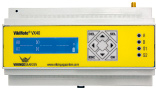
FlexGylle settings
Set parameters for FlexGylle. Parameters must be set before the system can be put into service.
Best practice
By default, the equipment works with the factory settings. Review each parameter and adjust it as needed.
Basic settings
Basic settings for the equipment.
Enable
Set whether the equipment must be enabled or disabled.
- Must be enabled before the equipment can be used
|
Parameter
|
Index |
Range |
Format |
Factory setting |
Example |
| GYTYPE |
- |
0..1 |
0 = Disabled 1 = Enabled |
0 |
GYTYPE 1 |
Pressure transmitter type
Set which pressure transmitter is connected.
- #The # character marks an index number. For example, TIMER# represents a parameter family for multiple inputs, where TIMER1 configures input 1 and TIMER2 configures input 2. indicates the tank number, for example 'GYTRYK1 2', which sets tank 1 to use a 0-6 meter pressure transmitter
|
Parameter
|
Index |
Range |
Format |
Factory setting |
Example |
| GYTRYK# |
1..2 |
0..3 |
0 = None
1 = Pressure transmitter 0-4 meters
2 = Pressure transmitter 0-6 meters
3 = Pressure transmitter 0-10 meters
|
0 |
GYTRYK1 2 |
Pressure transmitter position
Set the distance between the pressure transmitter and the tank bottom.
- Important: place the pressure transmitter above any bottom sediment so it does not clog
- The volume for bottom sediment is calculated automatically from the set distance and is included in volume calculations
- The recommended setting is at least 50 cm
- #The # character marks an index number. For example, TIMER# represents a parameter family for multiple inputs, where TIMER1 configures input 1 and TIMER2 configures input 2. indicates the tank number, for example 'GYTRKL1 50', which sets the distance to 50 cm
|
Parameter
|
Index |
Range |
Format |
Factory setting |
Example |
| GYTRKL# |
1..2 |
0..125 |
Number of centimeters |
0 |
GYTRKL1 50 |
Tank height
Set the maximum tank height, which is also the maximum height of the slurry level.
- #The # character marks an index number. For example, TIMER# represents a parameter family for multiple inputs, where TIMER1 configures input 1 and TIMER2 configures input 2. indicates the tank number, for example 'GYHOJ1 400', which sets the height to 400 cm for tank 1
|
Parameter
|
Index |
Range |
Format |
Factory setting |
Example |
| GYHOJ# |
1..2 |
0..1000 |
Number of centimeters |
0 |
GYHOJ1 400 |
Tank diameter
Set the internal tank diameter.
- #The # character marks an index number. For example, TIMER# represents a parameter family for multiple inputs, where TIMER1 configures input 1 and TIMER2 configures input 2. indicates the tank number, for example 'GYDIA1 1000', which sets the diameter to 1000 cm for tank 1
|
Parameter
|
Index |
Range |
Format |
Factory setting |
Example |
| GYDIA# |
1..2 |
0..8000 |
Number of centimeters |
0 |
GYDIA1 1000 |
Slurry properties
Set slurry properties.
Floating layer
Set the thickness of the slurry floating layer.
Note that the floating-layer height is subtracted from the specified maximum slurry-level height (tank height).
If the maximum slurry level (tank height) is set to 400 cm and the floating layer is set to 20 cm, the maximum slurry level is calculated as 380 cm.
In this example, level alarms are calculated from 380 cm, and 380 is the maximum slurry level.
- #The # character marks an index number. For example, TIMER# represents a parameter family for multiple inputs, where TIMER1 configures input 1 and TIMER2 configures input 2. indicates the tank number, for example 'GYFLY1 20', which sets the floating layer to 20 cm for tank 1
|
Parameter
|
Index |
Range |
Format |
Factory setting |
Example |
| GYFLY# |
1..2 |
0..120 |
Number of centimeters |
10 |
GYFLY1 20 |
Density
Set the density correction for the slurry density.
- Slurry density is normally 1.05 kg/liter
- #The # character marks an index number. For example, TIMER# represents a parameter family for multiple inputs, where TIMER1 configures input 1 and TIMER2 configures input 2. indicates the tank number, for example GYDEN1 105', which sets the correction factor to 105 (1.05 kg slurry per liter) for tank 1
|
Parameter
|
Index |
Range |
Format |
Factory setting |
Example |
| GYDEN# |
1..2 |
50..150 |
Correction factor
|
90 |
GYDEN1 105 |
Alarm limits
Set alarm-limit setpoints.
Maximum slurry-level setpoint
Set the setpoint for the maximum allowed slurry level.
- If the setpoint is exceeded for more than 20 seconds, a messageA message sent by the equipment to one or more configured users, for example an SMS or email alarm. is sent
- If the maximum slurry level is set to 3.8 meters and the setpoint is 85%, the setpoint is calculated as 3.23 meters (85% of 3.8 meters)
- #The # character marks an index number. For example, TIMER# represents a parameter family for multiple inputs, where TIMER1 configures input 1 and TIMER2 configures input 2. indicates the tank number, for example 'GYMAXH1 80', which sets the maximum setpoint to 80% of the specified maximum slurry level for tank 1
|
Parameter
|
Index |
Range |
Format |
Factory setting |
Example |
| GYMAXH# |
1..2 |
20..100 |
Number of percent |
85 |
GYMAXH1 80 |
|
|
Minimum slurry-level setpoint
Set the setpoint for the minimum allowed slurry level.
- If the setpoint is exceeded for more than 20 seconds, a messageA message sent by the equipment to one or more configured users, for example an SMS or email alarm. is sent
- If the maximum slurry level is set to 3.8 meters and the setpoint is 20%, the setpoint is calculated as 0.76 meters (20% of 3.8 meters)
- #The # character marks an index number. For example, TIMER# represents a parameter family for multiple inputs, where TIMER1 configures input 1 and TIMER2 configures input 2. indicates the tank number, for example GYMINH1 20', which sets the minimum setpoint to 20% of the specified maximum slurry level for tank 1
|
Parameter
|
Index |
Range |
Format |
Factory setting |
Example |
| GYMINH# |
1..2 |
0..80 |
Number of percent |
0 |
GYMINH1 20 |
|
|
HysteresisHysteresis means a signal must move above or below the configured value before it can be registered again. for setpoints
Set hysteresis for the minimum and maximum setpoints.
- When a setpoint has been exceeded and a messageA message sent by the equipment to one or more configured users, for example an SMS or email alarm. has been sent, the level must rise or fall by the specified percentage before new messagesMessages sent by the equipment to one or more configured users, for example SMS or email alarms.
- If the maximum slurry level is set to 3.8 meters and hysteresis is set to 1%, the hysteresis is calculated as 3.8 cm (1% of 3.8 meters)
- #The # character marks an index number. For example, TIMER# represents a parameter family for multiple inputs, where TIMER1 configures input 1 and TIMER2 configures input 2. indicates the tank number, for example GYHYSN1 2', which sets hysteresis to 2% of the specified maximum slurry level for tank 1
|
Parameter
|
Index |
Range |
Format |
Factory setting |
Example |
| GYHYSN# |
1..2 |
1..5 |
Number of percent |
1 |
GYHYSN1 2 |
|
|
Seepage monitoring
Seepage monitoring monitors seepage and sudden releases.
Seepage tolerance
Set the maximum allowed tolerance for seepage and, indirectly, for releases.
- If the tolerance and time are exceeded as specified, a messageA message sent by the equipment to one or more configured users, for example an SMS or email alarm. about seepage is sent
- If the tolerance is exceeded by double the value and within half the specified time, a messageA message sent by the equipment to one or more configured users, for example an SMS or email alarm. about a release is sent
- #The # character marks an index number. For example, TIMER# represents a parameter family for multiple inputs, where TIMER1 configures input 1 and TIMER2 configures input 2. indicates the tank number, for example GYTOLU1 12', which sets the tolerance to 12 cm for tank 1
|
Parameter
|
Index |
Range |
Format |
Factory setting |
Example |
| GYTOLU# |
1..2 |
0..50 |
Number of cm |
10 |
GYTOLU1 12 |
|
|
Seepage timer
Set a time delay for seepage and, indirectly, for releases.
- The tolerance must be exceeded for the specified time before a seepage alarm is registered
- The tolerance only has to be exceeded for 50% of the specified time before a release alarm is registered
- #The # character marks an index number. For example, TIMER# represents a parameter family for multiple inputs, where TIMER1 configures input 1 and TIMER2 configures input 2. indicates the tank number, for example GYTOLUT1 80', which sets the timer to 80 seconds for tank 1
|
Parameter
|
Index |
Range |
Format |
Factory setting |
Example |
| GYTOLUT# |
1..2 |
0..300 |
Number of seconds |
60 |
GYTOLUT1 80 |
|
|
Leak monitoring
Leak monitoring monitors smaller releases over a longer period.
Leak tolerance
Set the maximum allowed tolerance for leaks.
- If the tolerance and time are exceeded as specified, a messageA message sent by the equipment to one or more configured users, for example an SMS or email alarm. about a leak is sent
- #The # character marks an index number. For example, TIMER# represents a parameter family for multiple inputs, where TIMER1 configures input 1 and TIMER2 configures input 2. indicates the tank number, for example GYTOLL1 10', which sets the tolerance to 10 cm for tank 1
|
Parameter
|
Index |
Range |
Format |
Factory setting |
Example |
| GYTOLL# |
1..2 |
0..20 |
Number of cm |
5 |
GYTOLL1 10 |
|
|
Leak timer
Set a time delay for leaks.
- The tolerance must be exceeded for the specified time before a leak alarm is registered
- #The # character marks an index number. For example, TIMER# represents a parameter family for multiple inputs, where TIMER1 configures input 1 and TIMER2 configures input 2. indicates the tank number, for example GYTOLLT1 30', which sets the timer to 30 minutes for tank 1
|
Parameter
|
Index |
Range |
Format |
Factory setting |
Example |
| GYTOLLT# |
1..2 |
0..120 |
Number of minutes |
20 |
GYTOLLT1 30 |
|
|
Methane gas monitoring
Under oxygen-free conditions and during slurry storage, bacterial processes occur and methane gases are formed, especially in cattle slurry. This can make level measurements unstable because bubbles form in the slurry.
Bubbles are detected by measuring the level over time while also registering whether the level is rising or falling within a period.
Methane gas monitoring can cancel alarms from seepage and leak monitoring if a methane gas bubble is detected at the same time. Release monitoring is not affected.
The recommendation is to use methane gas monitoring only for cattle slurry, and only if false alarms from seepage or leak monitoring become a problem.
Set the operating mode for methane gas monitoring.
- Always start with Level 1. If false alarms continue, try Level 2
- #The # character marks an index number. For example, TIMER# represents a parameter family for multiple inputs, where TIMER1 configures input 1 and TIMER2 configures input 2. indicates the tank number, for example GYGAS1 1', which sets monitoring to level 1 for tank 1
|
Parameter
|
Index |
Range |
Format |
Factory setting |
Example |
| GYGAS# |
1..2 |
0..4 |
0 = Off
1 = Level 1 - Seepage/leak alarm is canceled if the level rises again
2 = Level 1 - Seepage/leak alarm is canceled if the level rises again and a messageA message sent by the equipment to one or more configured users, for example an SMS or email alarm. is sent
3 = Level 2 - Seepage/leak alarm is canceled if the level rises again or is stable
4 = Level 2 - Seepage/leak alarm is canceled if the level rises again or is stable and a messageA message sent by the equipment to one or more configured users, for example an SMS or email alarm. is sent
|
2 |
GYGAS1 0 |
|
|
Alarm settings
Settings for whether, for example, a push button can be used to temporarily disable monitoring.
Service message
Set when the service message is sent with information about current height and volume
- The message shows measurements from the last messageA message sent by the equipment to one or more configured users, for example an SMS or email alarm.
|
Parameter
|
Index |
Range |
Format |
Factory setting |
Example |
| GYSER |
- |
0..2 |
0 = Off.
1 = Sends every day at 12:00.
2 = Sends every Monday at 12:00.
|
2 |
GYSER 0 |
Alarm disable by push button
Temporarily disable monitoring with a push button.
- Temporarily disable monitoring, for example when the tank is emptied
- Monitoring is automatically re-enabled after a preset time
- If the push button is pressed twice within 4 seconds, monitoring is enabled immediately
- Each time the push button is activated, the timer restarts and the automatic re-enable time is extended
| Parameter |
Index |
Range |
Format |
Default |
Example |
SERVICE |
- |
0..4 |
0 = Disabled
1 = Use digital input 1
2 = Use digital input 2
3 = Use digital input 3
4 = Use digital input 4
|
0 |
SERVICE 1 |
Alarm disable by SMSSMS is a text message that can be sent or received with a mobile phone.
Temporarily disable monitoring by sending an SMSSMS is a text message that can be sent or received with a mobile phone..
- Temporarily disable monitoring, for example when the tank is emptied
- Monitoring is automatically re-enabled after a preset time
| Parameter |
Index |
Range |
Format |
Default |
Example |
SERVICESMS |
- |
0..3 |
0 = Disabled
1 = Allow SMS arming and disarming with feedback
2 = Not used
3 = Allow SMS arming and disarming without feedback
|
0 |
SERVICESMS 1 |
Alarm disable timer
Set the time for automatic re-enable.
- Monitoring is re-enabled after the preset time
| Parameter |
Index |
Range |
Format |
Default |
Example |
SERVICETIME |
- |
0..127 |
Number of hours |
2 |
SERVICETIME 8 |
Solar settings
Settings to use if a solar system is installed.
Disable DC outputs
Reduce the unit power consumption by disabling DC outputs.
| Parameter |
Index |
Range |
Format |
Default |
Example |
PM12V |
- |
0..1 |
0 = Disable DC output 2
1 = Enable DC output 2
|
1 |
PM12V 0 |
| Parameter |
Index |
Range |
Format |
Default |
Example |
PM33V |
- |
0..1 |
0 = Disable DC output 1
1 = Enable DC output 1
|
0 |
PM33V 1 |
Disable battery charger
Reduce the unit power consumption by disabling the internal battery charger.
| Parameter |
Index |
Range |
Format |
Default |
Example |
PMCHG |
- |
0..1 |
0 = Enable internal battery charging
1 = Disable internal battery charging and battery backup function
|
0 |
PMCHG 1 |
Reduce processor speed
Reduce the unit power consumption by throttling down the internal processor.
- Set processor speed to 'Very slow'
| Parameter |
Index |
Range |
Format |
Default |
Example |
PMCPU |
- |
0..4 |
0 = Very fast
1 = Fast
2 = Medium
3 = Slow
4 = Very slow |
0 |
PMCPU 1 |
Disable counter inputs
Reduce the unit power consumption by disabling counter inputs.
| Parameter |
Index |
Range |
Format |
Default |
Example |
PMSNUL |
- |
0..1 |
0 = Disable counter inputs
1 = Enable counter inputs
|
1 |
PMSNUL 0 |
Disable display
Reduce the unit power consumption by disabling the unit display.
- Can only be used on units with a display
- For VX40 unit - press the OK key and the display turns on for 2 minutes
| Parameter |
Index |
Range |
Format |
Default |
Example |
PMDISP |
- |
0..1 |
0 = Enable display
1 = Disable display |
0 |
PMDISP 1 |